Your VIP+ guide
You just unlocked VIP+. Here is everything: tags, skins, the workbench.
VIP+ — the tag, plus skins
VIP+ includes the [VIP+] tag (in-game + Discord) and the real perk: repainting your gear and weapons at the workbench. Skins are cosmetic only — same stats as the item you already looted or bought.
VIP+ also includes a personal killfeed colour (yellow by default).
Show or hide your tag (dashboard)
You manage tags on the website, not in-game:
- Log in → Dashboard → My Tags.
- Link your Steam ID (Profile tab) for in-game tags, and your Discord for the Discord role.
- Use the switches: Discord on one side, Chernarus PvP / Sakhal PvE on the other.
- Hiding the tag never removes your perks — VIP+ skins stay unlocked. Perfect if you want to stay low-key.
Anti-spam: one change per tag every 60 seconds. In-game the tag usually updates right away; if not, it applies on the next server restart.
How to repaint (already live)
The skin workbench is already in place on Chernarus and Sakhal. You do not wait for a future update.
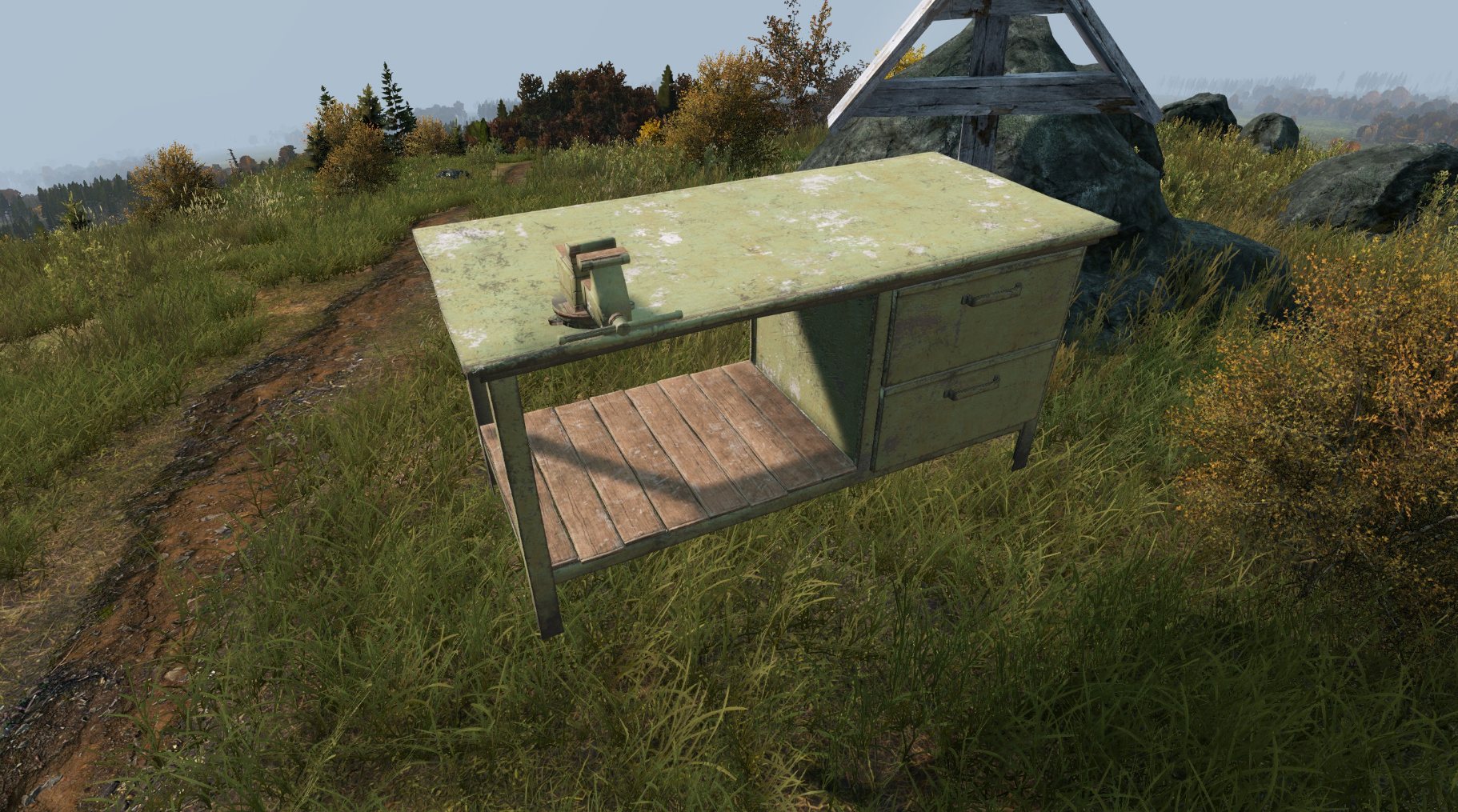
- Put the item in your hands (weapons, pouches, vest, pants, helmet, belt…).
- Walk up to the green workbench.
- Use the Repaint action.
- Pick a skin in the list and confirm.
If nothing is in your hands, the menu will not open. Attachments on the item can follow the same paint.
Where to find the workbench
- A workbench is already placed in the safezone — use that one with nothing to buy.
- You can buy the crate at the safezone trader and deploy it at your base.
- You can also loot the crate in the world (industrial / farm areas) and place it at your base.
What you can reskin — a few examples
Pants, jackets, belts, pouches, helmets, vests, shoes, weapons… From basic colours (black, green, navy…) to skins made specifically for VIP+. We do not list every camo — there are far too many. Open the menu with the item in your hands and you see what exists for that item.
- 6B43 vest — well over 200 skins
- Killa helmet — well over 200 skins
- MMG armor / helmet / backpack — over a hundred skins on several pieces
- Paragon pants, jacket, belt, pouches, IFAK — about 50 skins each
- Weapons (Scar-H, snipers, and others) — dozens of skins
- Shoes (AF1, AirMax, Jordan) — about ten colourways each
Some basic colour swaps are available to everyone. The large VIP+ catalogue is what you unlock with the rank.